Code and the Newsvendor

One of the first classroom simulations I coded was a newsvendor game. You can find it at newsvendor.edutool.org. You need to sign up for an instructor account. After I approve you, you can set up a session, log in as a player in a separate browser tab, and try it out yourself.
The newsvendor model is a core element of my discipline of operations management. It is foundational to understand inventory planning, scheduling, capacity planning, yield management, and revenue management. It describes a simple choice under uncertainty: a decision maker must set a fixed quantity in the face of an uncertain outcome. There are costs of setting this quantity too high (so-called overages) and too low (so-called underages); the optimal choice, called the critical fractile, balances these often asymmetric costs. If you are interested in knowing more, read the (free) chapter in my forecasting book about the topic at https://dfep.netlify.app/sec-uncertainty
I have played this game in the classroom since I started to teach. This usually involved PowerPoint slides, and students manually calculating their costs on a printed sheet of paper. It worked, but it was slow and cumbersome. The winning player was often the one who had miscalculated their costs. Running this online makes the experience smoother for everyone involved. Students can focus on the decision without having to do any accounting. There is a verified ground truth that determines the winner. And I can run this in half the time I would normally need in the classroom, saving more time for discussion.
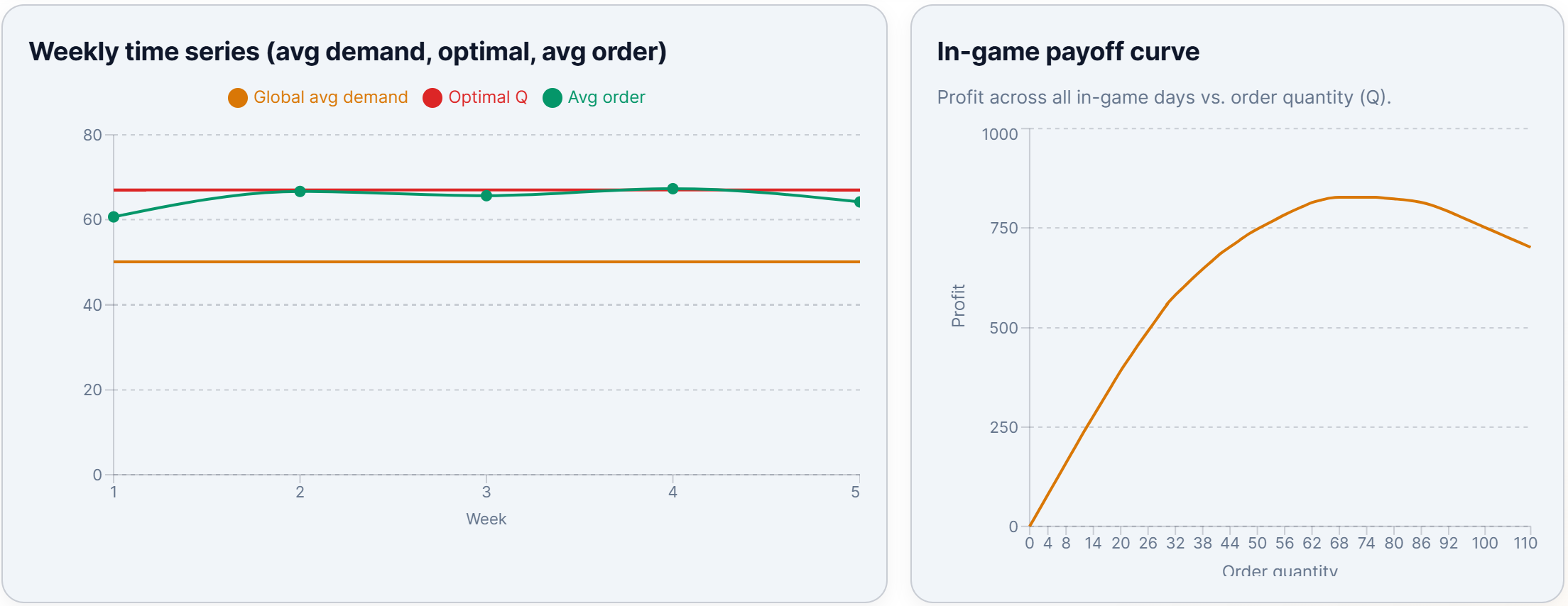
It is a simple but powerful tool for students to experience the underlying concept. I can also immediately include graphs from the game in the debriefing, showing how much profit they could have earned by selecting different quantities and comparing their average orders to the optimal order and the average demand. This allows me to illustrate the so-called pull-to-center effect, a behavioral phenomenon where decisions generally fall between the average and the optimum. Here is a screenshot of these debriefing graphs of a session I ran yesterday with 50+ Executive MBAs:
The game uses React for the user interface and Firebase for the back-end. Both were suggested by the AI (in this case, OpenAI's Codex) when I started vibe-coding. React creates very good-looking user interfaces. Firebase provides instructor registration, player (anonymous) login, session management, leaderboards, and more. Firebase is a Google product I have really come to appreciate - will make a separate blog post about it sometime. The key point is that, for low-usage settings, Google provides this product for free. I can run this game with approximately 200 students per day at no cost. I can thus offer this product to instructors for free (at least for now), though if there are power users of the tool, I will walk them through hosting it themselves on Firebase (takes about 10 minutes). The code is available on GitHub (https://github.com/siemsene/newsvendor). I am incredibly grateful to Google for creating an environment in which we can experiment with small-scale applications without incurring costs. This promotes experimentation and user innovation.
The one thing I learned is that classroom apps need to be robust to student behavior. Students come in late or leave early. They log in once, and log in again with a different name. Or they log in and accidentally close their browser. Many things can go wrong, and the software needs to be robust to all of this noise. I implemented a range of functions to deal with such issues. Instructors get a clear overview of which players have made decisions and can kick players at any time. They can nudge players to make a decision. Players can log back in to the session at any time using their session code and name. Instructors can finish a turn by pressing a button, effectively making a decision for players who have not yet decided. And instructors can finish the session at any time if they run out of time. You need to provide as much flexibility as possible to instructors so they can manage running this simulation with 50+ people in the room.
Scaling the app is an important topic. When you code the app, you usually test it with one player, or maybe a handful of players. The app's behavior with 50 or 100 players can be very different. You do not want the app to slow down while you are running the simulation in class. One early user of the game alerted me to this, and I quickly put AI to work to optimize the code. Here, it really helps to have multiple AI agents examine the codebase and prompt them to optimize it for running it with 100 students in parallel. The different models I used all found different tweaks to improve performance. My simulation in class yesterday, with 50+ students, went without any performance issues. If you code an app, make sure you have your AI review the code to identify performance bottlenecks and find more efficient ways for the software to operate at the scale you envision. As educators, it is unlikely that we will need to build apps that scale to 1000+ users at once, but we should be prepared for 100+ users using our applications simultaneously. Our class sizes are not getting smaller.
Maybe a separate discussion is how to set up apps for synchronous and asynchronous use. I currently program my apps for synchronous use - this enables live leaderboards, and moving the classroom through the simulation at the same pace. But so many of our classes have moved to asynchronous online teaching. I'll make a mental note here to create an asynchronous mode for sessions in my app where students can move through the simulation at their own pace.
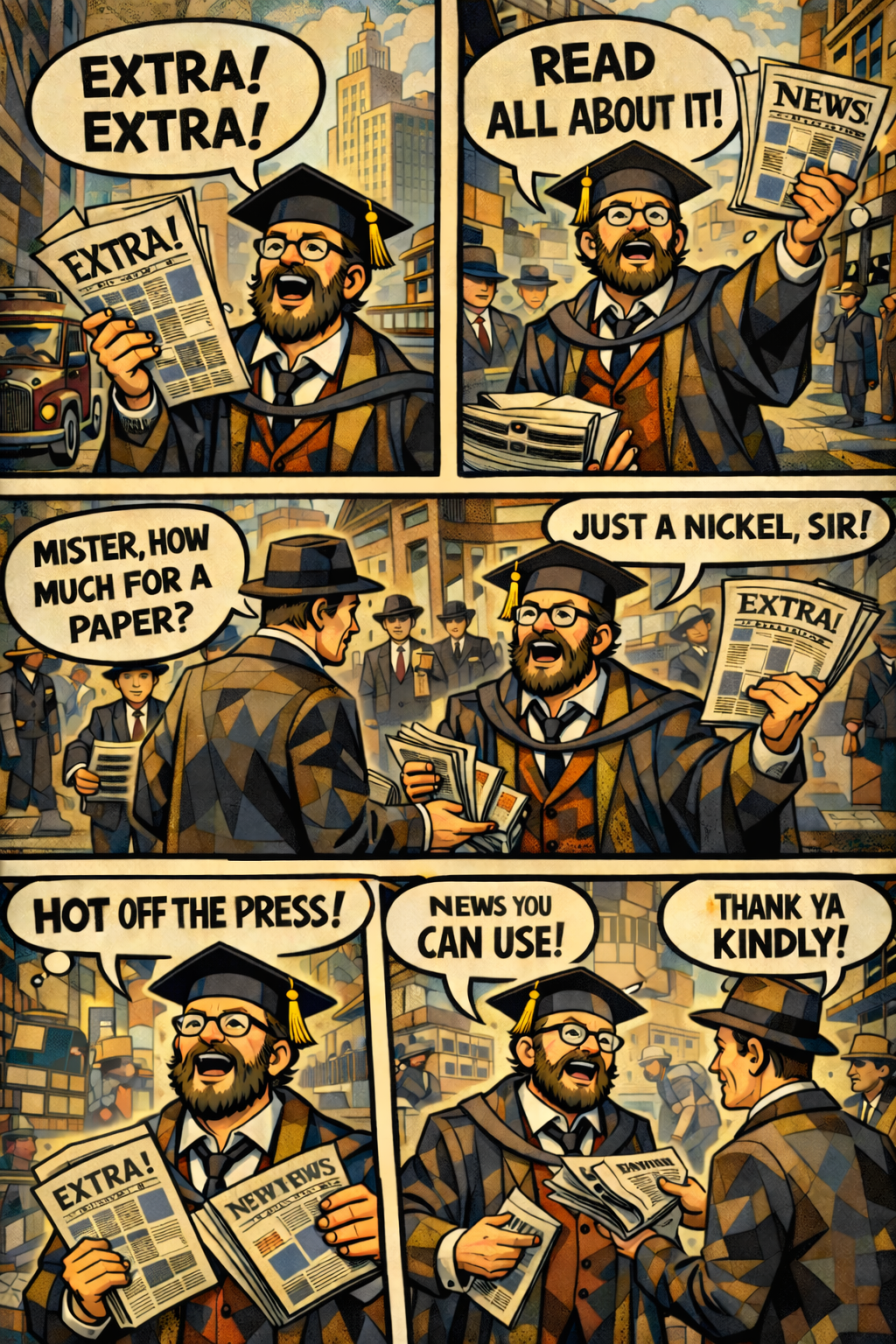
The app uses AI-generated art. This is a bit of a placeholder for now; I think my daughter would love drawing some alternative art for this simulation, but she will need time for that. I know AI art generates mixed feelings. But it represents a fast way to get applications out. It is also efficient; I do want to offer the app for free, so I do not want to start incurring high costs. At the same time, I would not mind paying a small amount to the artists who most inspired the AI-generated artwork. I hope that there will soon be tools within AI art generators that allow you to specify an artist, generate art based on their work, but allow you to channel some money directly to them. (Maybe such tools already exist - if you know of them, please leave a comment!)
GitHub allows everyone with a user account on GitHub to submit issues - either bugs or feature requests - to the repository. So if you find bugs in the game or want me to consider other features, head to https://github.com/siemsene/newsvendor/issues and click the 'New Issue' button. Providing this channel is a good practice for every developer.
Thanks for reading. Please consider subscribing to the newsletter (for free). Once you do, please leave comments below. Have fun using the tool. Good night, and good luck!